
By default, the GMetrixTemplates folder and Saved Projects are located in the user’s C: Drive. Our users may change this location, if needed. To do this, follow the steps below.
- Make sure that you are using the latest version of the GMetrix software. You can download the client to the newest version at gmetrix.net/download.
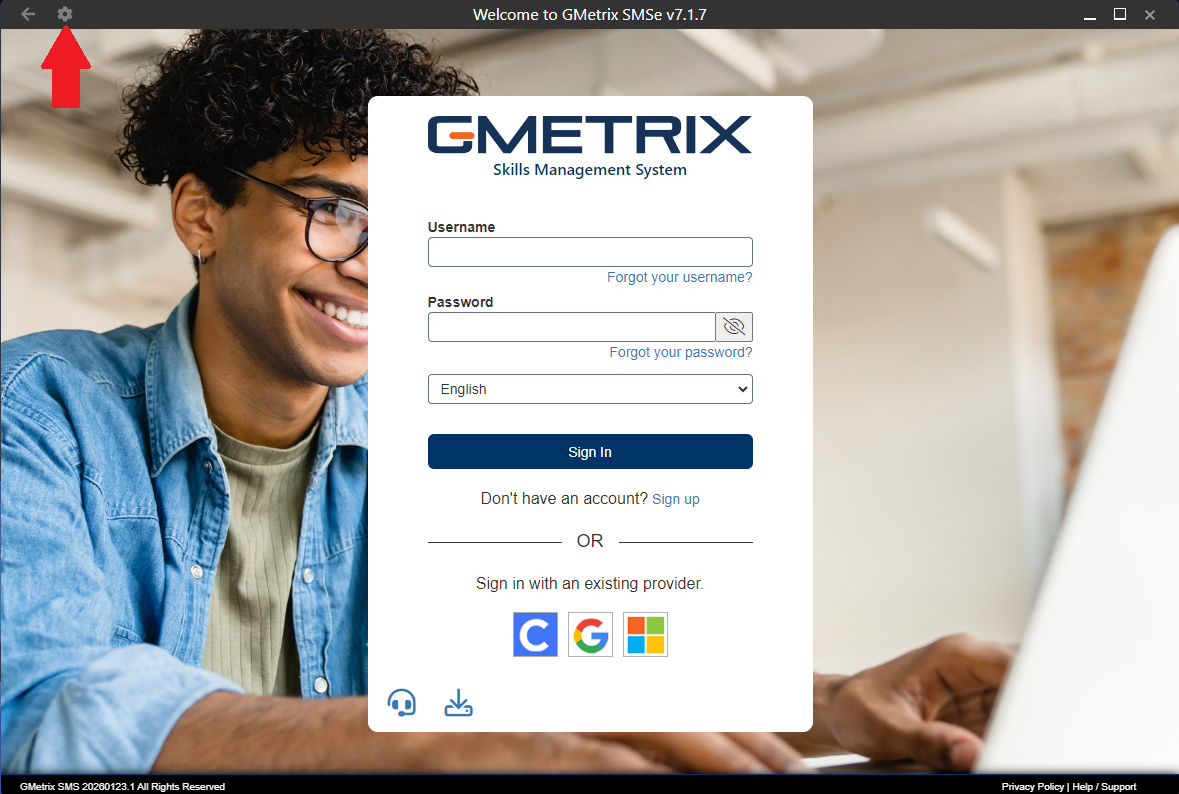
- Go into Options for the GMetrix SMS application
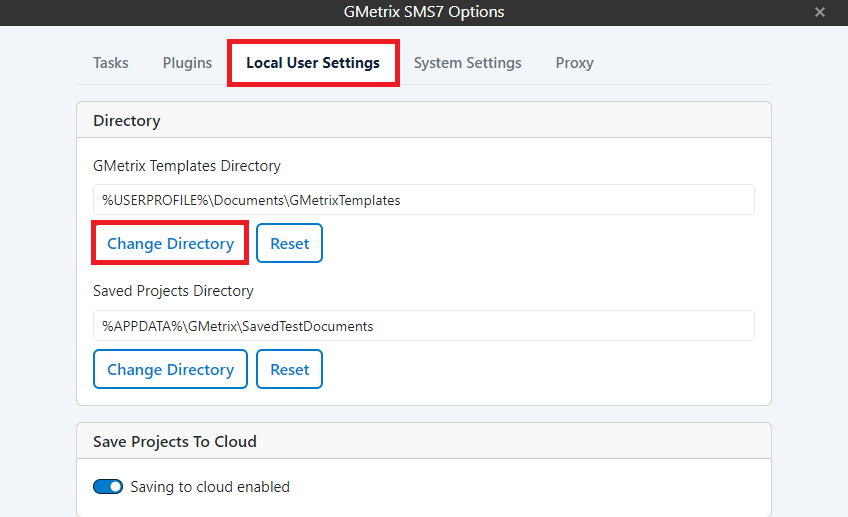
- Select the Local User Settings and select Change Directory next to the GMetrixTemplates or Saved Projects Directory and select a location on the system that you know you have read/write access to (student folder, shared drive, or even the desktop in most cases).
Note: Once you have completed these steps follow the article How to Delete GMetrixTemplates/Resource Archive/Cache to complete the changes.